

What was our average response time last quarter?
Nobody was timing it, so the honest answer is a guess with a confident tone.
Every building gets its own price list, published when you are ready. Every job is timed against a target you set. Every change is stored with a name and a time against it — so when a landlord, a committee or a tenant asks, you have an answer rather than a recollection.
Every one of these is asked by somebody you have to answer to — and answering them properly today means an afternoon of digging.
Nobody was timing it, so the honest answer is a guess with a confident tone.
The status is right. The history of how it got there does not exist.
You find out on Wednesday, from the complaints.
Because there is only one price list, and it was set for whichever building came first.
Items, categories, recurring discounts, bookable hours and the cancellation policy — all set per building and published with a version stamp. Drafts are never visible to residents, so you can work on next quarter's prices in the open.
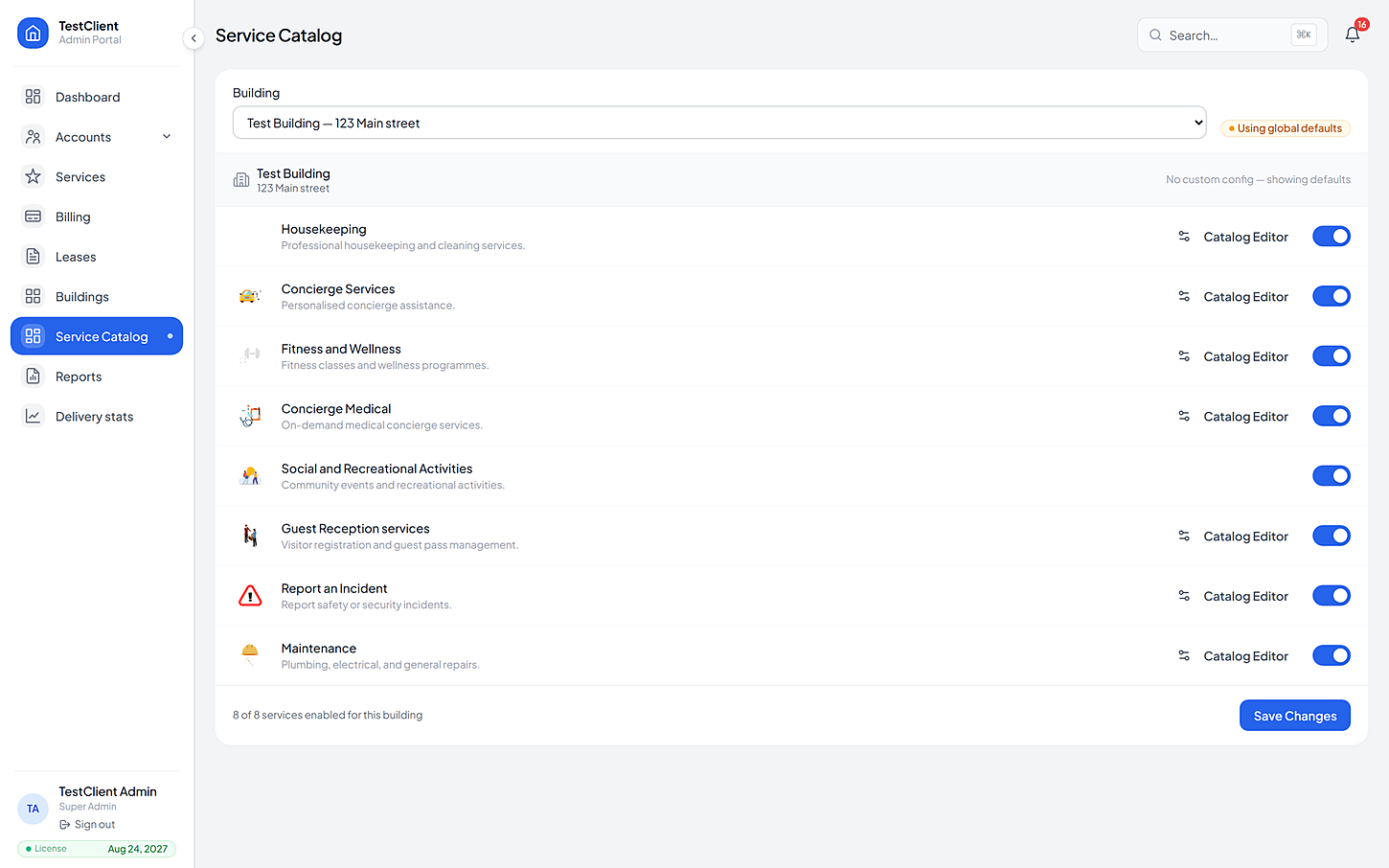
Everything raised anywhere in the portfolio lands in one place with a human-readable reference. On top of that, each service has its own console — housekeeping, maintenance, medical, events, reception, incidents — for the people who live in one of them all day.
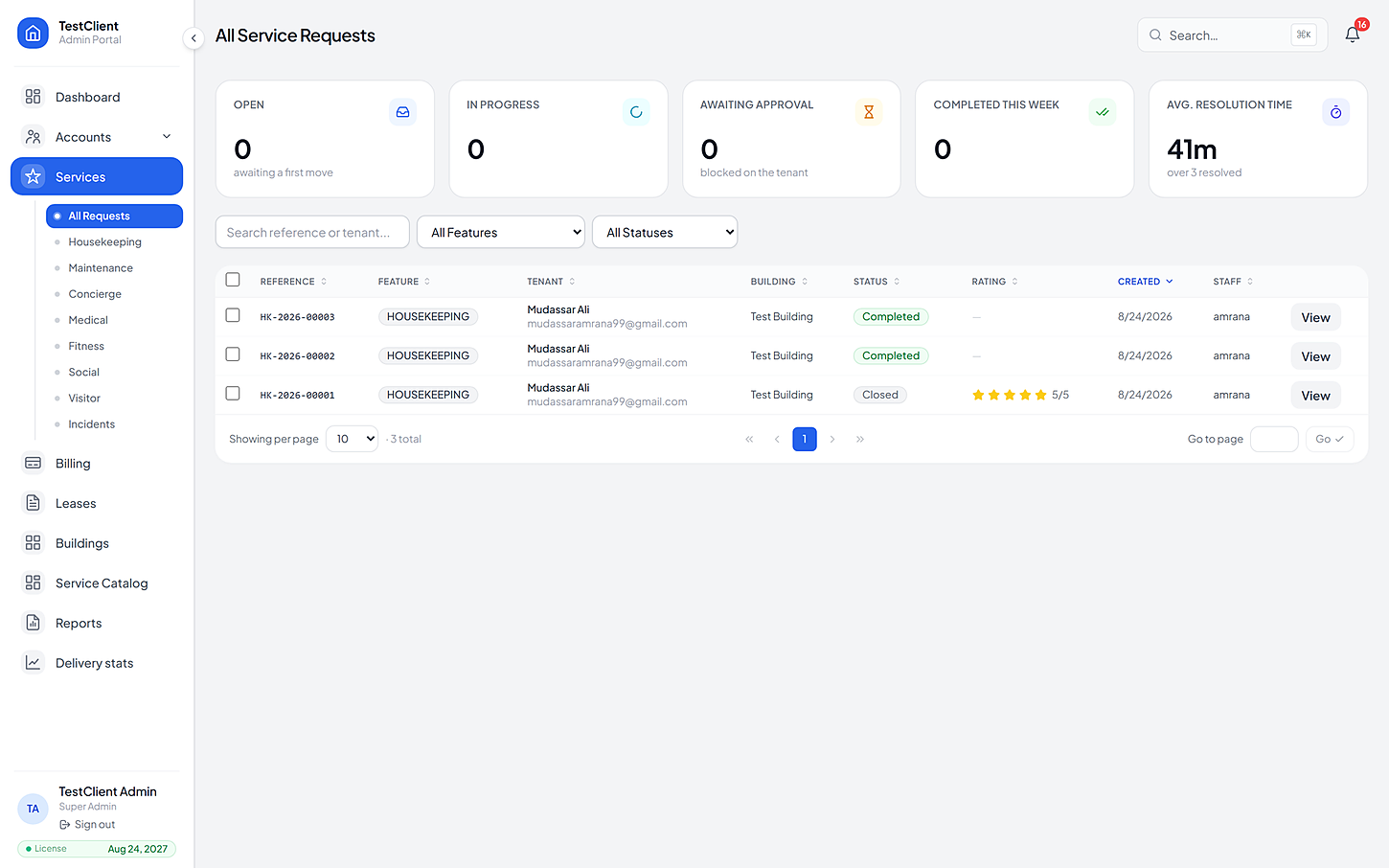
Ageing, staff coverage, request volumes, notification delivery, incident analytics. And underneath every figure, a record of who did what and when — including every access to medical and incident data.
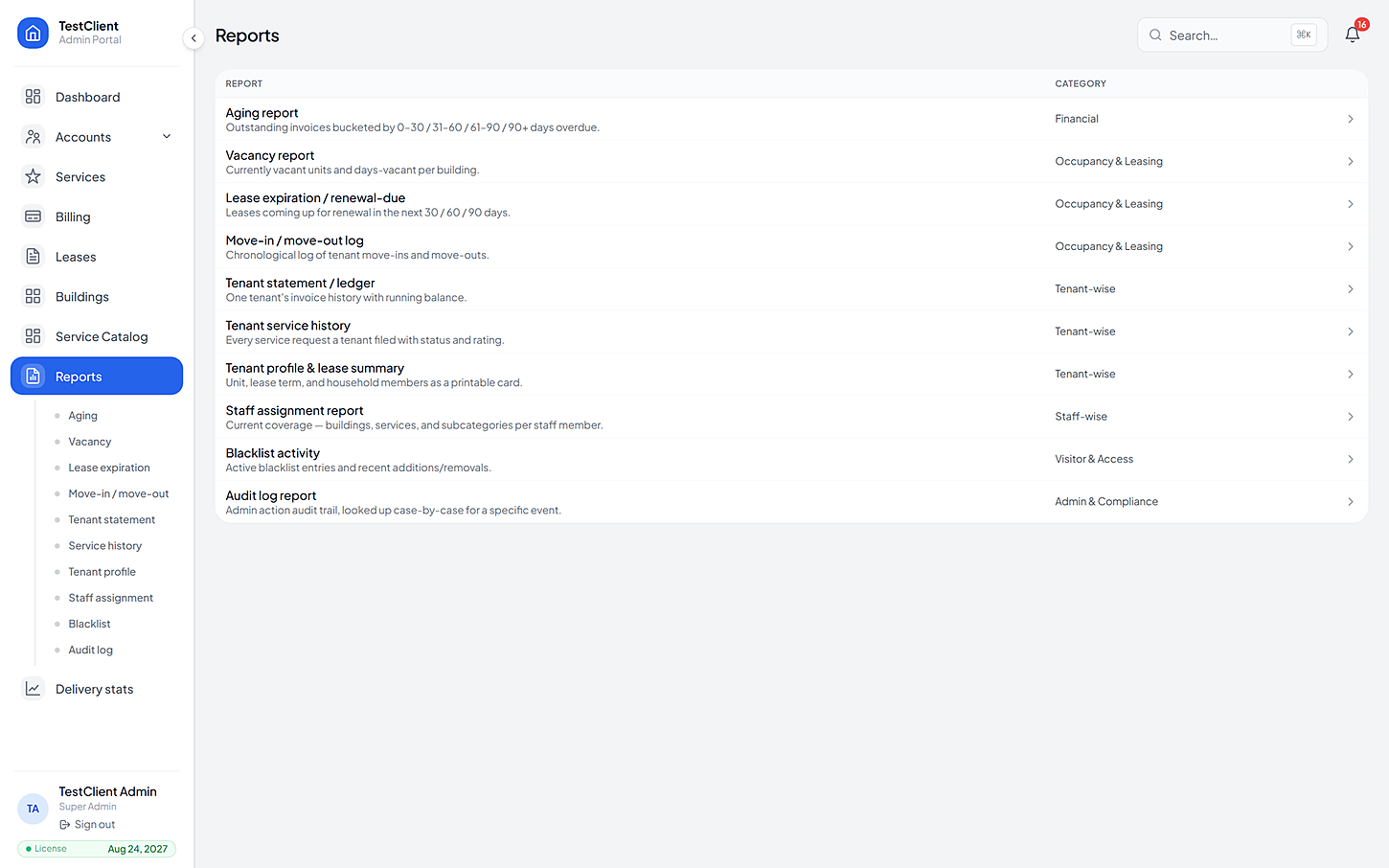
Most of it is a spreadsheet import. The part worth taking slowly is the price list, because that is what residents see.
Buildings, units and tenants come in from your existing list. Leases follow, with move-in dates.
Spreadsheet import
Items, prices, hours and cancellation terms — done with our team, and not published until you are happy.
An afternoon
Assign people to buildings, services and subcategories, and set the twenty-one permissions per person.
Per person
Residents get their activation codes, the first requests arrive, and the reports start filling themselves in.
Live
If yours is not here, the FAQ page goes further — or just ask us directly.
No. It replaces the phone calls, the paper logs and the WhatsApp groups. Your staff get a task list, a fair timer and a way to prove the work was done — which is usually what they were missing.
That is the normal case. Services are switched on building by building, each with its own items, prices and hours. Two towers in the same portfolio need not resemble each other at all.
Access is granted per person with roles and per-building scopes, across twenty-one separate permissions. Medical and incident data are gated further, and every access to them is logged.
Your company gets its own separate store — your buildings are never mixed in with another client's. Camera footage never leaves the building at all; only the events you asked for reach the portal.
The same product, from another side
Bring one building, its list of units and the services you already offer. We'll set the price list up with you, then you can watch a real request go all the way from a resident's tap to the invoice.
No card needed · Your data stays yours