
Run your building'shousekeepingfrom one place
Residents book it. Staff get it done. Managers set the prices and see the proof. Everyone watches the same clock, from the first tap to the invoice.
- 0
- services in one app
- 0
- apps, one system
- 0
- features you switch on per person
- 0
- ready-made reports
Everything in the platform
Five areas, fifty things, and nothing locked behind a bigger plan. All of it works today — the Features page opens each one up.
Capabilities, live today
Residents
In the app they carry
Staff
On the floor, on shift
Managers
Running the building
Money & proof
What gets billed, and why
Cameras
Working while nobody looks
What happens after a resident sends a request
Every service follows the same five steps, whichever side you are on. Each building sets its own response time, and the resident and the staff member watch the same clock count down.
- 01
Requested
A resident picks a service and sees what it costs in their building before they confirm.
09:12 · PKR 3,500 - 02
Assigned
The job goes to staff who cover that building and service — by hand, automatically, or taking it in turns.
- 03
In progress
Start, pause, carry on. The promised time counts down where both sides can watch it.
- 04
Done, with proof
Photos and a record of what was done. For repairs, staff add what they found, the price and the parts used.
- 05
Invoiced
The price is worked out, any discount taken off, and the invoice appears in the resident's app.
Nobody can quietly change a job's status. Every step is saved with a name and a time — so six months later, there is still an answer.
The management portal your team will actually live in
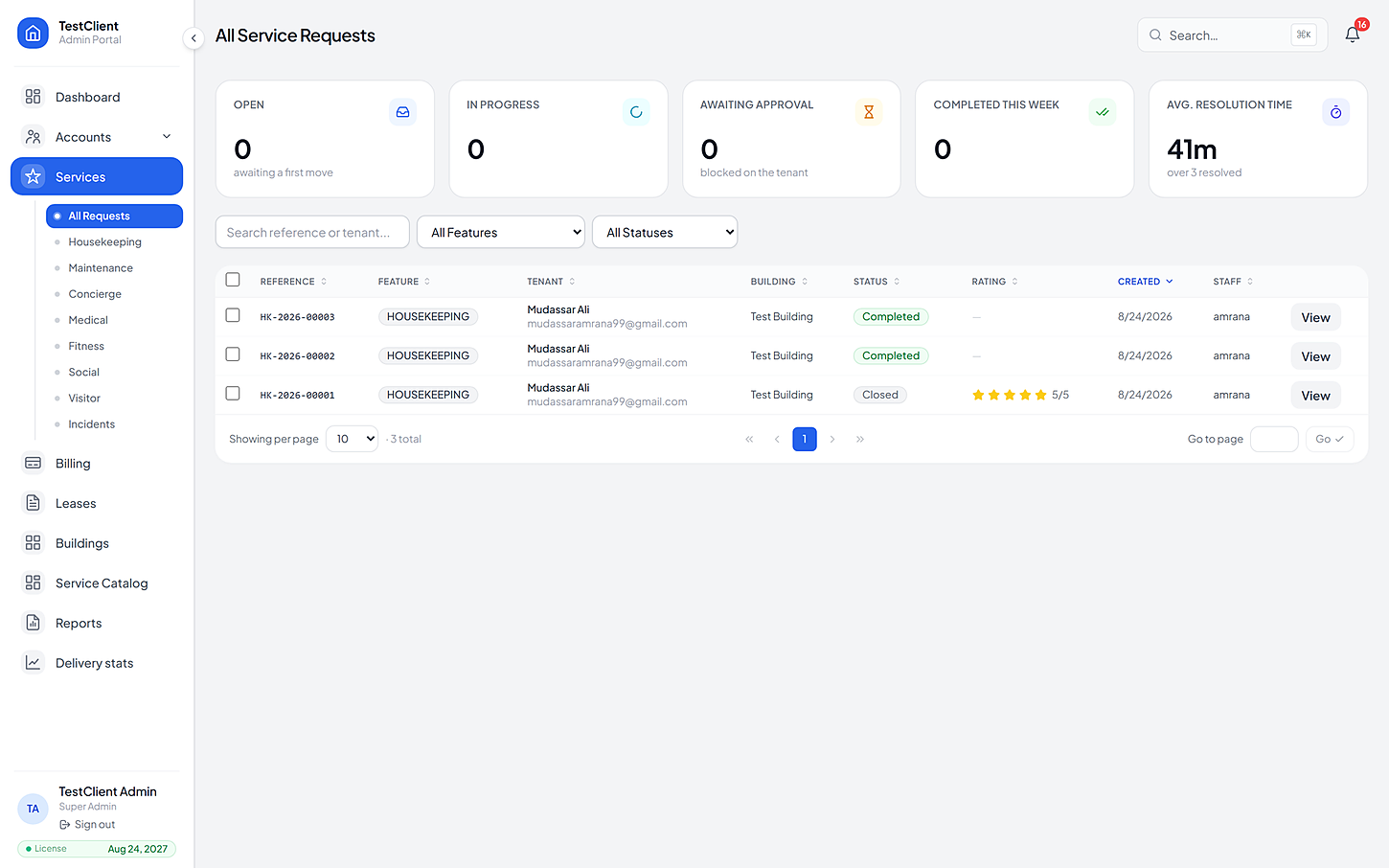
This is where the work is handed out, priced, checked and billed — not a reporting screen bolted onto something else. Every picture below is a real screen from the product.
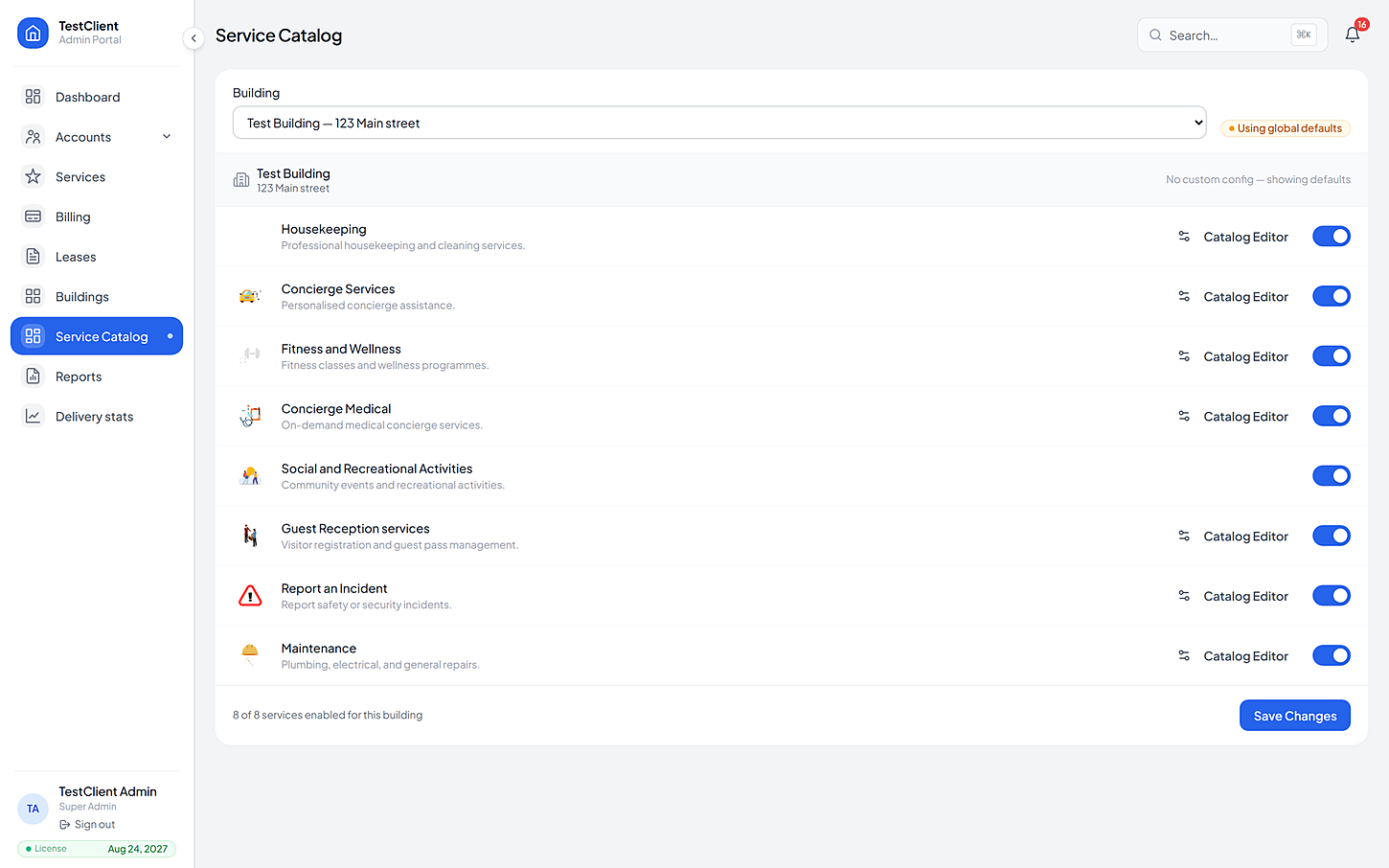
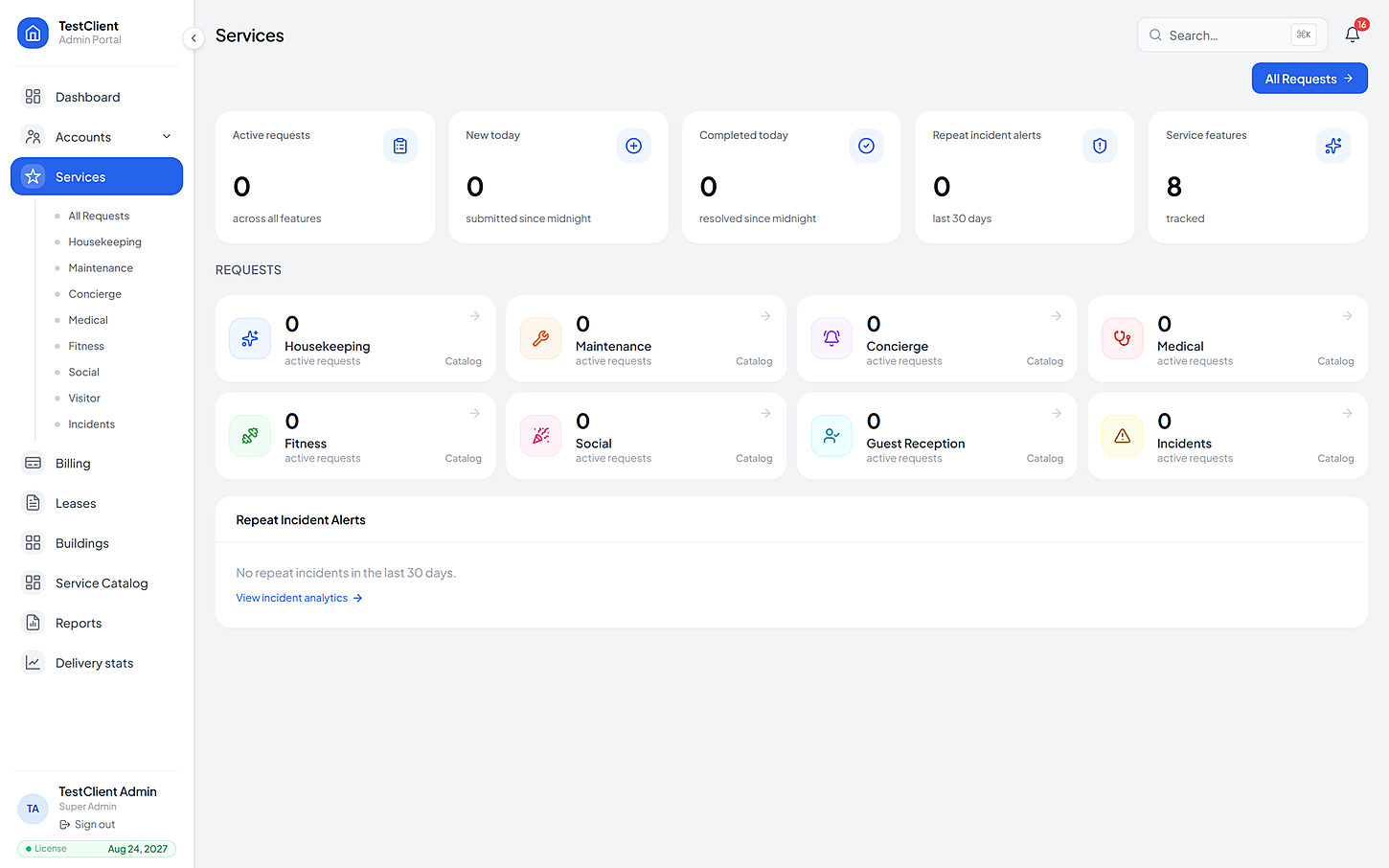
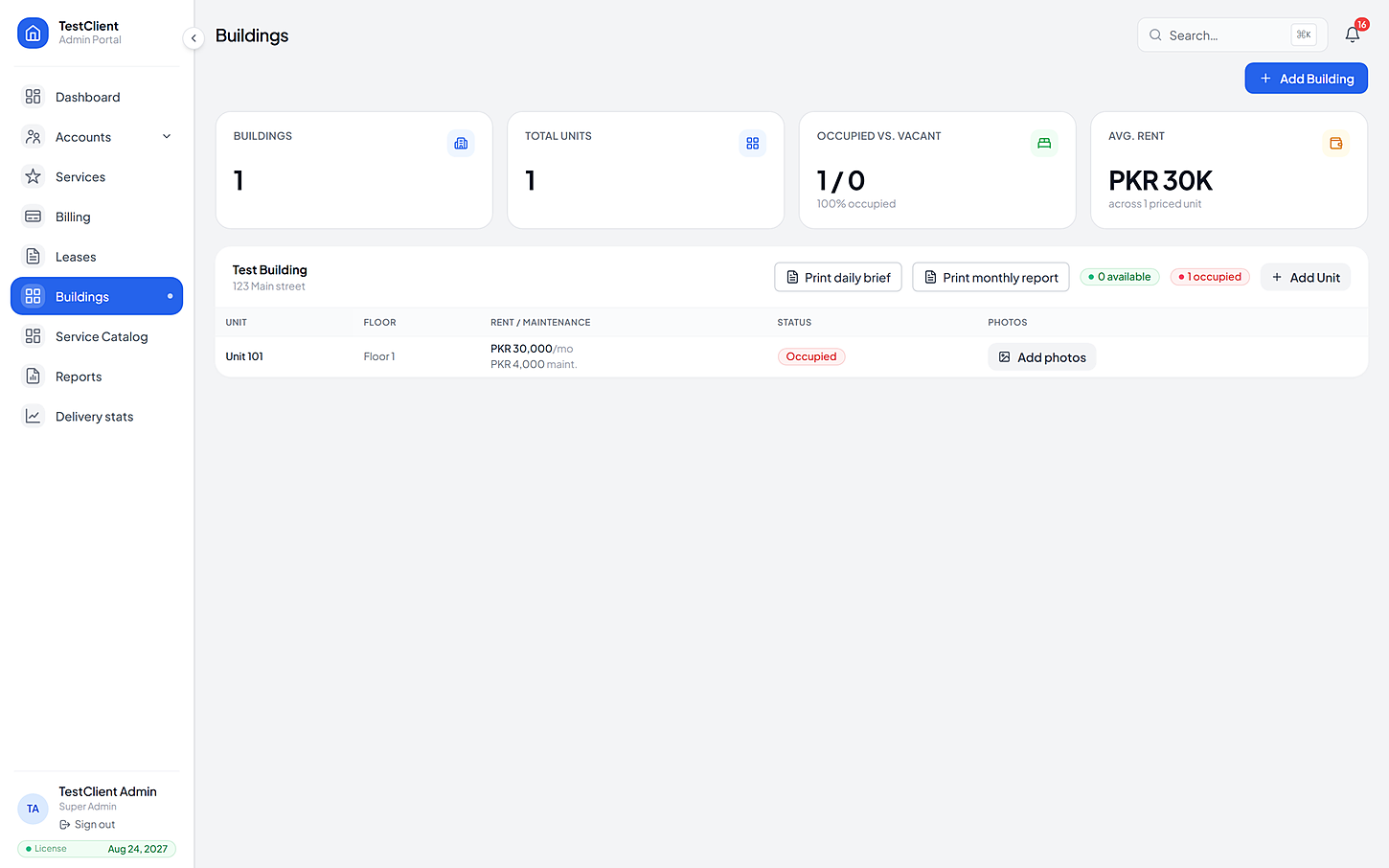
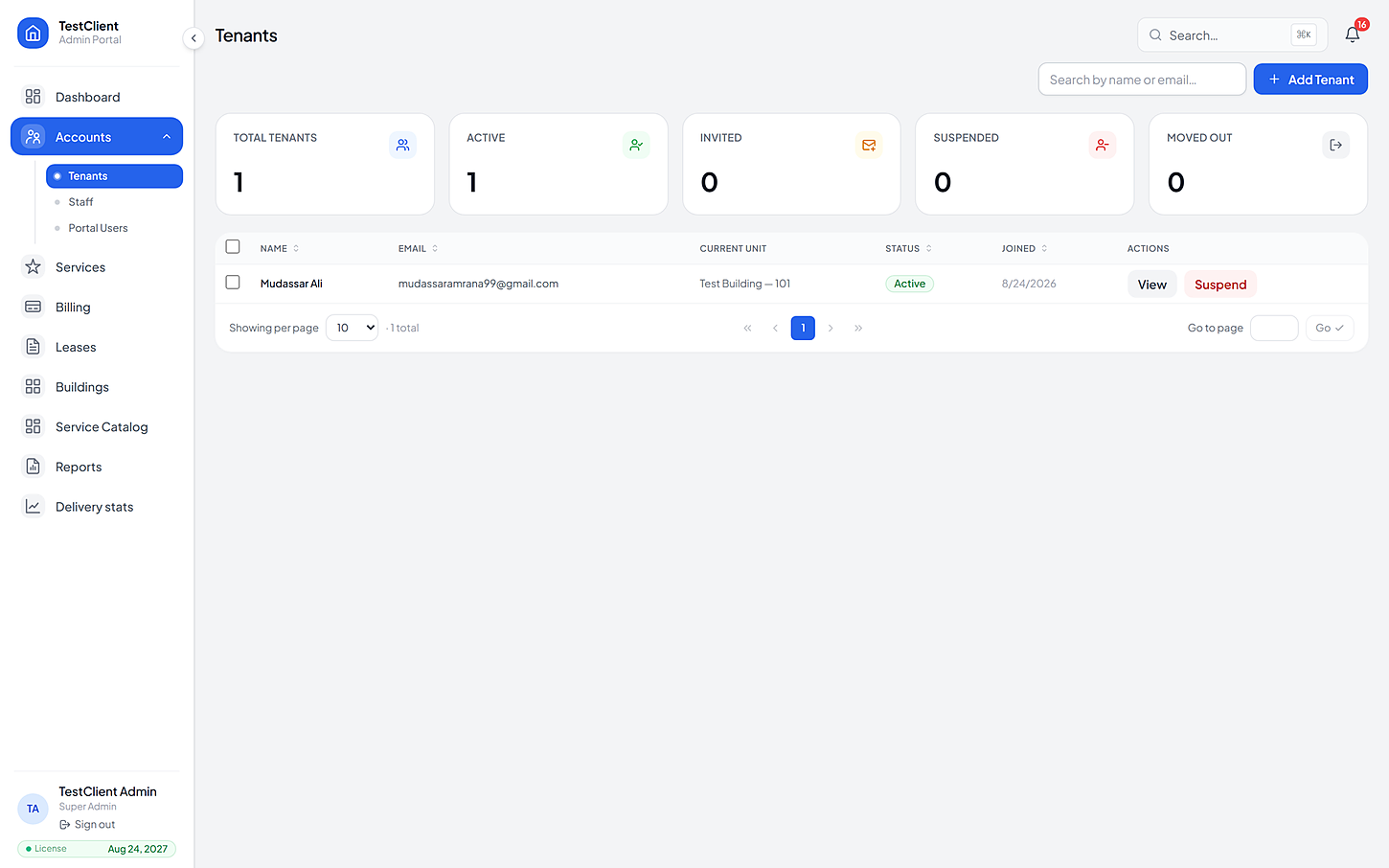
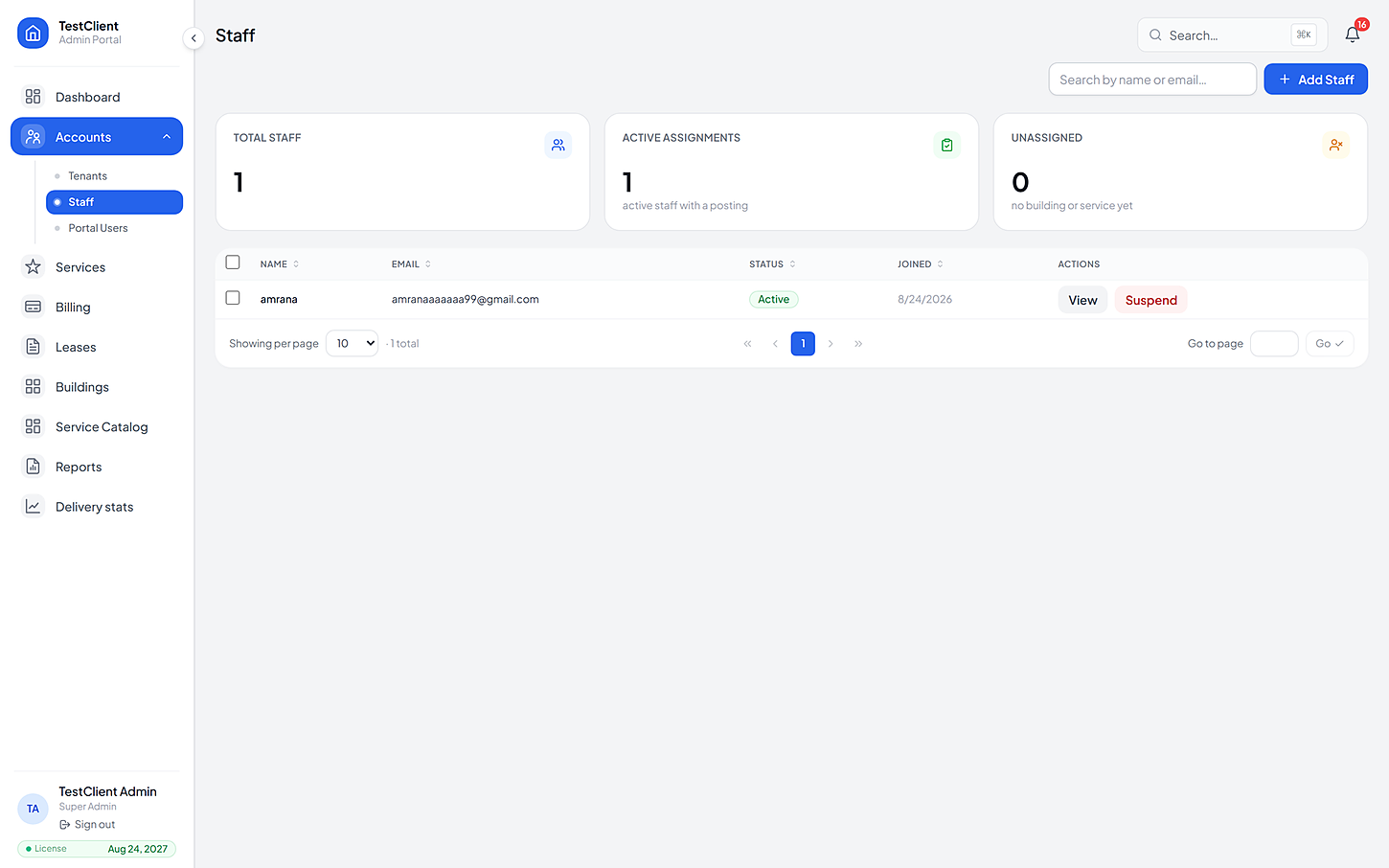
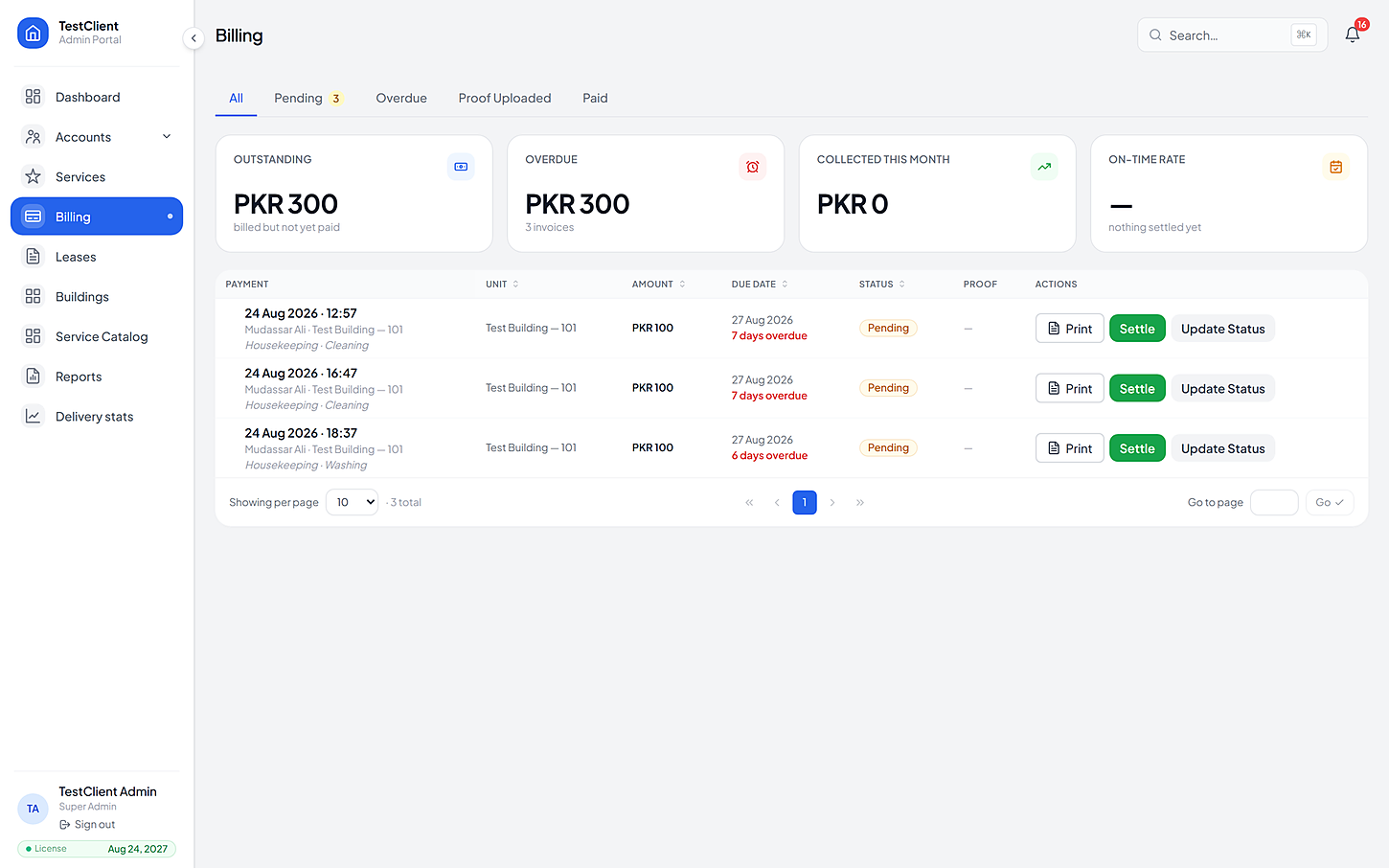
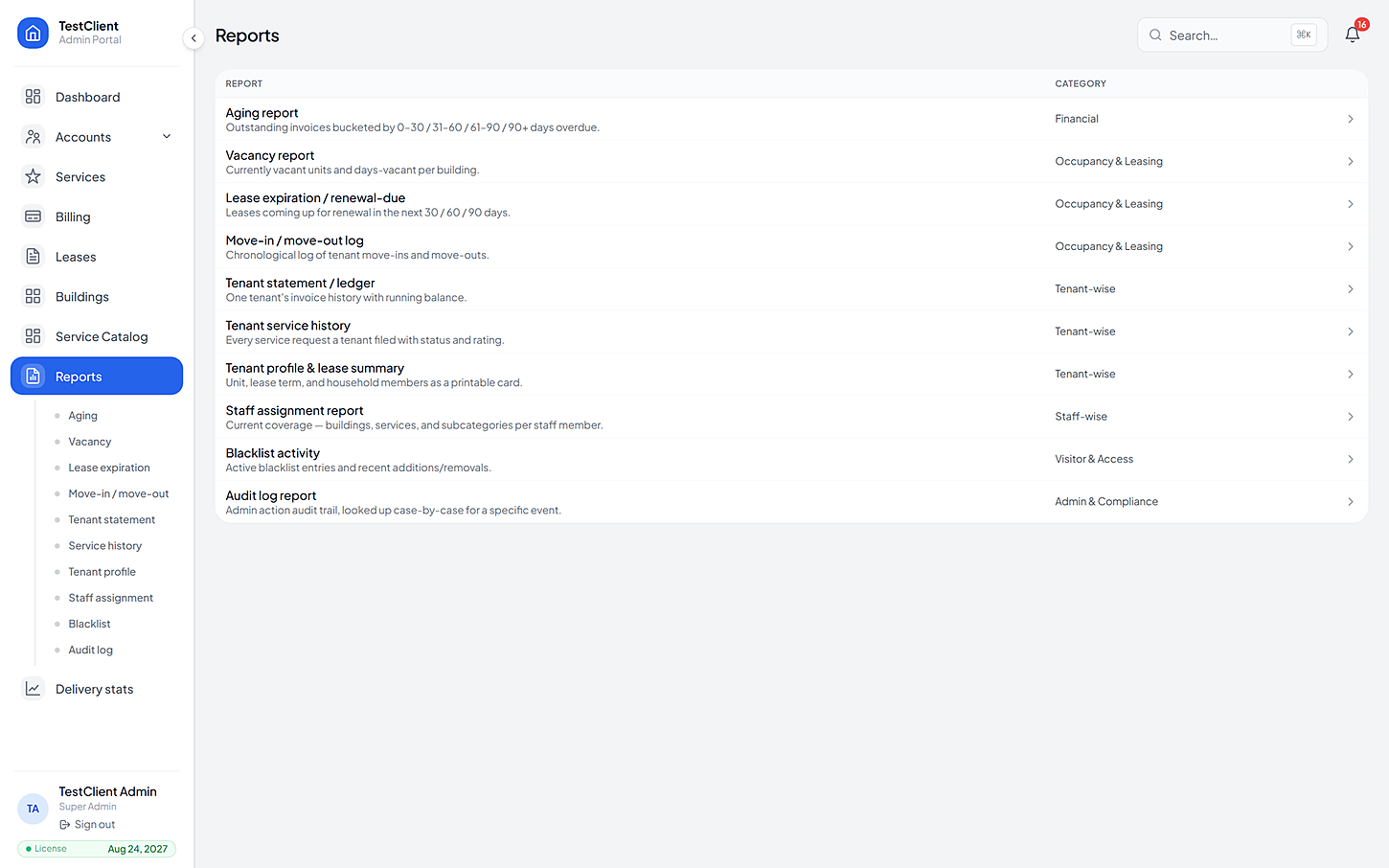
Set what each building offers and what it costs
Four apps: one for residents, one for staff, one for managers, one for cameras
Each one is built for the person holding it — and they all write to the same record, so nothing has to be matched up afterwards.
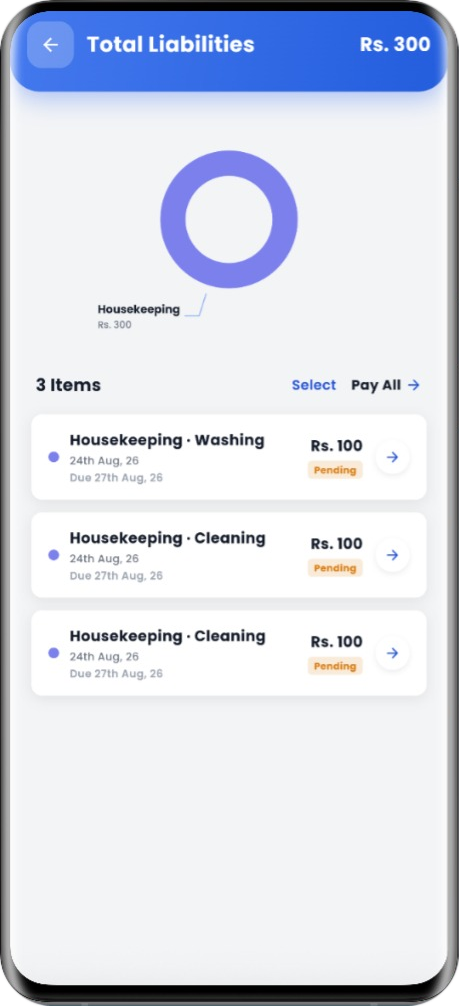
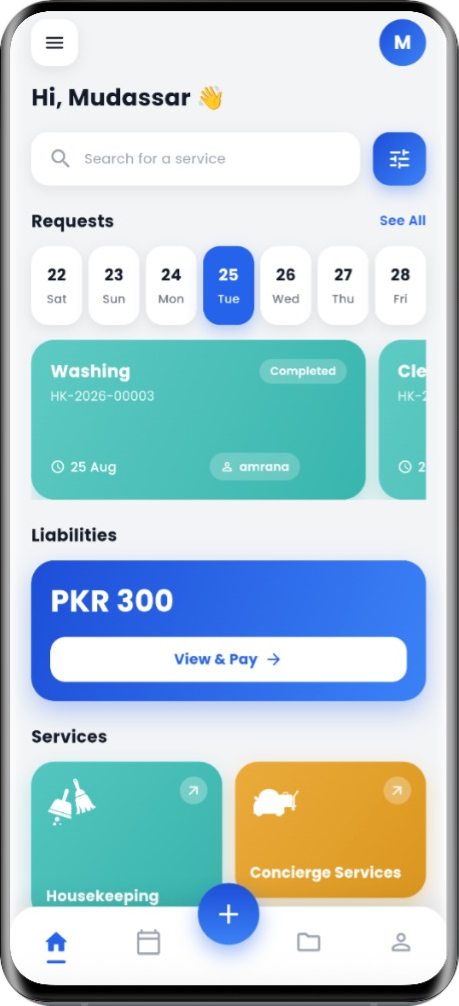
Mobile App for Resident
The building in your pocket.
Everything a resident needs from the building, from booking a cleaner to approving a repair estimate to paying the month's invoices — without a phone call or a WhatsApp group.
Getting inBookingWhile it happensMoneyBuilding lifeAll featuresMobile App for Staff
A clear list, not a phone call.
Field staff see only the buildings and services they're assigned to, work through jobs step by step, and leave proof behind — which protects them as much as it reassures the resident.
My workMaintenanceReception deskRestricted workAll features
Web Portal for Admin
Where the building is actually run.
Where the building is actually run from: people, property, prices, handing out work, money and proof. Every service gets its own screen, and every building its own price list.
People & propertyDay-to-day workPrices & publishingMoney & proofAll featuresCamera Services
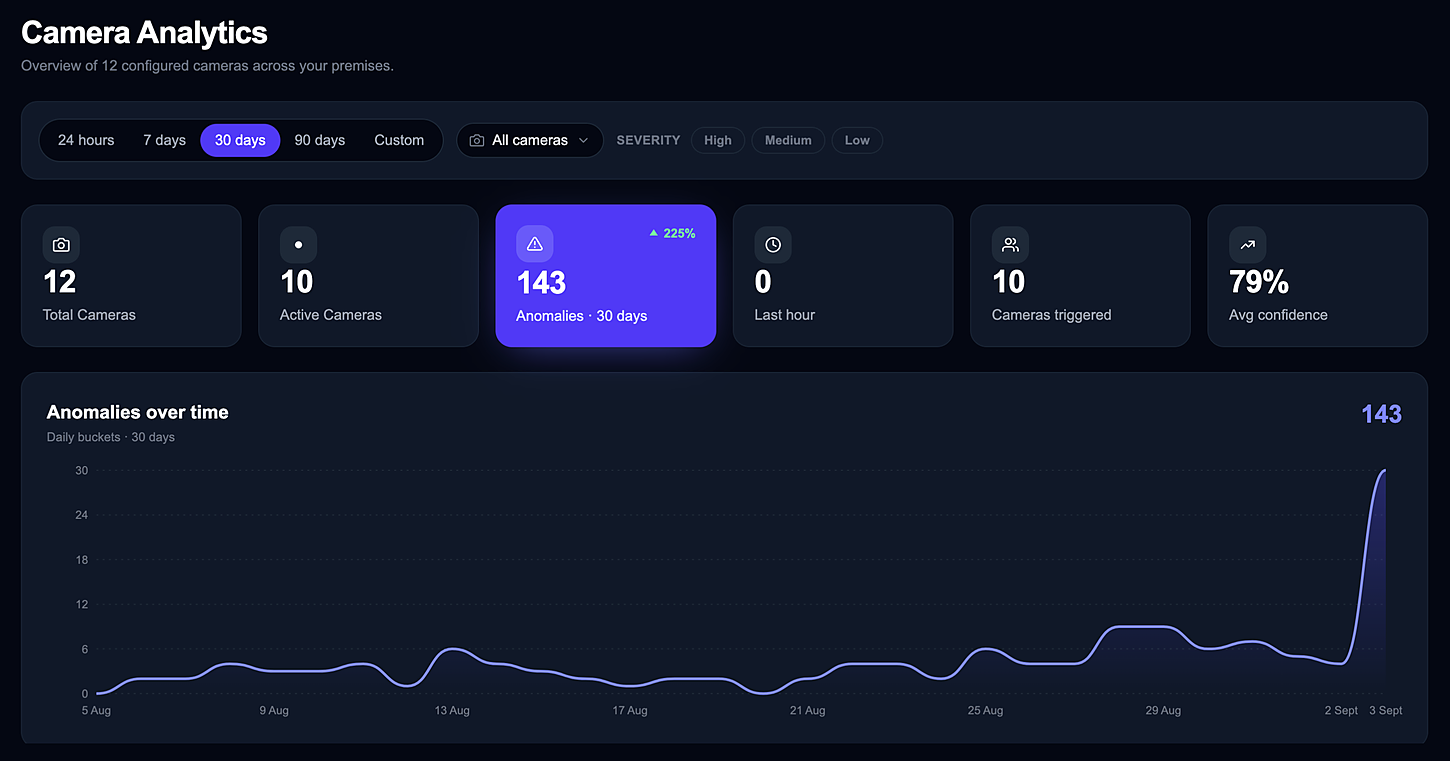
Cameras that raise incidents by themselves.
Runs on a machine inside the building, next to the cameras. Footage never leaves the premises — only the events you asked for travel to the portal, where they become real service requests.
WatchingRules you set yourselfBuilt for real buildingsAll featuresThe camera spots a problem and sends a request
Point a camera at the places that cause trouble — someone waiting by a side door after hours, a car left in the fire lane, a spill in the lobby. When it spots one, 360SafeOps sends the request and tells the right person. Nobody has to sit watching a screen.
- 1
The camera sees something
Someone waiting by the side door at 02:40, long after hours.
- 2
You decide what counts
Only at that door. Only after hours. Only if it is sure enough.
- 3
It acts on its own
The front desk is told, and a request is sent with the picture attached.
Then, on its own
Front desk told
Push and email, straight away
Incident request sent
IN-2026-00742 · assigned to security
Four things a complaint list can't do — and this portal does
Anything can collect a complaint. These four are what decide whether the building is actually running better six months from now.
Every building gets its own price list
What is on offer, what it costs, when it can be booked and what happens on a cancellation — all set per building, then published. Change one tower without touching the other.
Without it: One price list for every building, kept in a spreadsheet someone edits by hand.
In the product
Same service · two price lists
Residents approve repair costs first
For repairs, staff look first, send a price, and wait. Nobody is billed for work they never agreed to — which is where most arguments start.
Without it: The invoice is the first time the resident sees what it cost.
In the product
No work starts until this is answered
Proof of work on every job
Photographs and a completion record attach to the request itself. When a resident says it wasn't done, there's an answer.
Without it: A tick in a box, and one person's word against another's.
In the product
3 photos · attached at 10:04
A full audit trail
Every step is recorded with who did it and when. Medical and incident details stay locked to the staff cleared for them, and each look is logged.
Without it: Who changed the status, and when? Nobody can say.
In the product
- 09:12RequestedAyesha Riaz
- 09:20AssignedBilal Ahmed
- 10:04CompletedBilal Ahmed
Three things that matter once you are actually running it
This isn't a general-purpose complaints tool with a building theme painted on. The awkward parts — getting a repair cost approved first, charging different prices in two towers, keeping medical requests away from the wrong staff — are the parts it was built for.
Pilot case study
Our first building goes live this quarter. We'll publish the numbers and a named quote here the moment the client is happy to be named — not before.
Per building
L03Pricing, hours and services
Two towers under the same company can look nothing alike — different price lists, different response times, different staff on the floor.
Every change
L02Recorded with who and when
Nobody types a status in by hand. The system writes it down as the work happens, so the history is complete without anyone having to remember.
Your own space
L01Never mixed with another company
Your buildings sit in their own store, apart from every other client. And if you ever leave, what you take out is complete and clean.
Eight services a resident can book from their phone
Every service has its own prices and its own hours. But a resident books them all the same way, and staff work them all the same way — so there is only ever one thing to learn.

Housekeeping
Cleaning on a schedule residents control.
One-off or recurring — daily, weekly, fortnightly · Discount applied automatically to recurring plans
See detail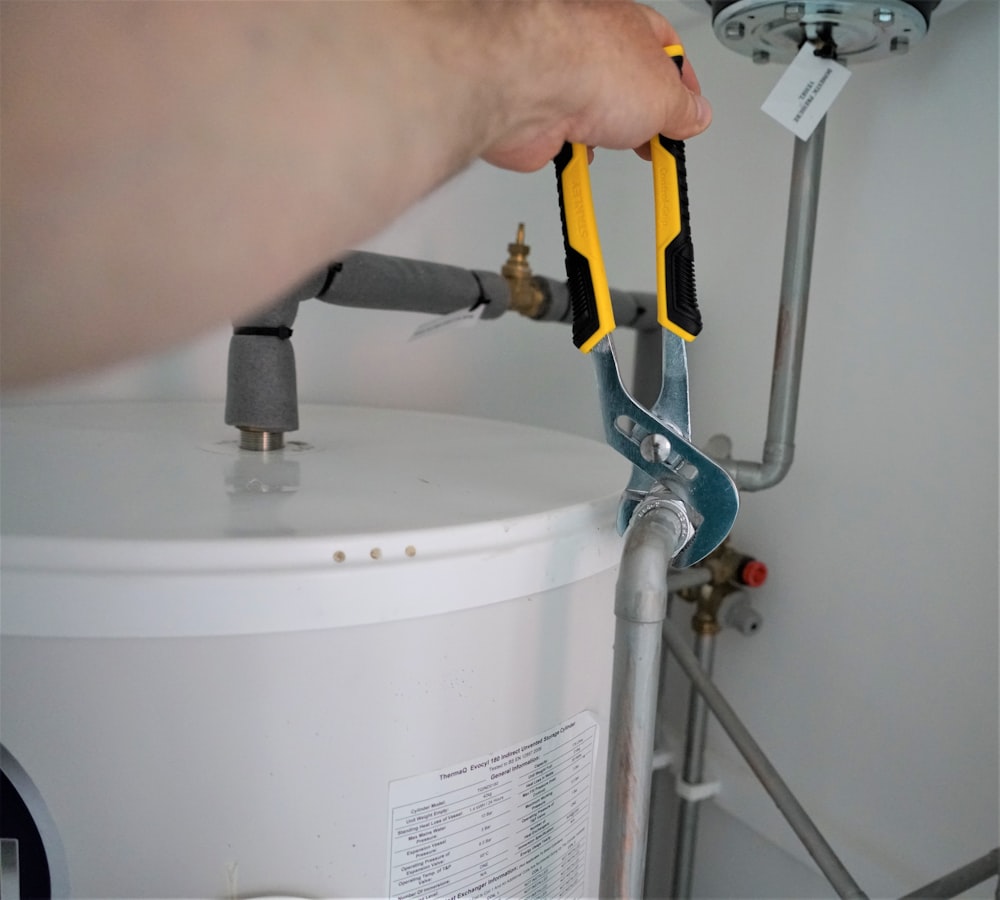
Maintenance
No work starts until the resident agrees the cost.
Staff record the diagnosis on site · A written estimate goes to the resident
See detail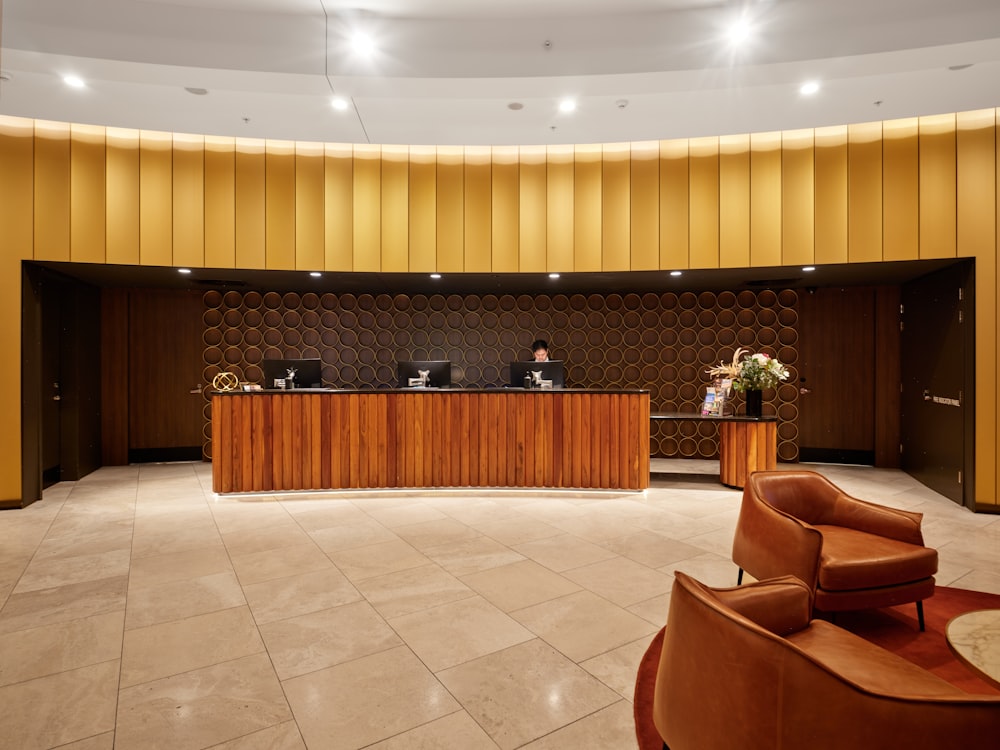
Concierge
Errands and requests, tracked like any other job.
Free-text requests with photos or files attached · Assigned, timed and completed like every service
See detail
Medical
Care requests with the privacy they demand.
Approved provider list per building · Routine, urgent and emergency levels
See detail
Fitness & wellness
Facilities and classes that don't need a WhatsApp group.
Facilities defined per building · Class schedules and instructors
See detail
Social & events
Community programming that actually fills up.
Eleven event types, from movie nights to festivals · RSVP with automatic waitlist when full
See detail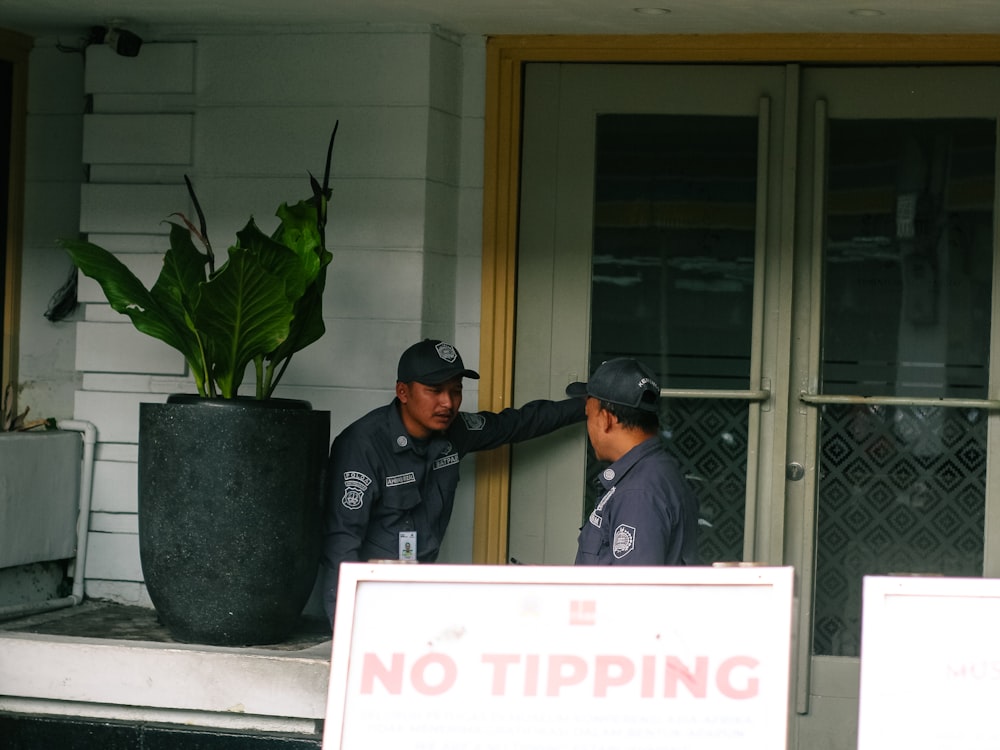
Guest reception
Visitors expected, verified and logged.
Residents issue a pass before the guest arrives · Verified at the desk, entry and exit both logged
See detail
Report an incident
Nothing gets lost between a complaint and a fix.
Severity from low to critical · Staff triage before assignment
See detailEvery kind of property this is built to run
One system underneath. The services, the prices and the staff change to suit the place — a tower, an office floor or a whole site.
You pay per building and service, not per user
A building running four services and a building running eight are not the same job to run — so they are not quoted the same way.
Essential
Quoted per building
One building, the core services, one admin.
- Housekeeping, maintenance, concierge
- Resident app & staff app
- Admin portal with one building
- Invoices and receipts
- Email notifications
Complete
Most takenQuoted per portfolio
All eight services, several buildings, real reporting.
- Everything in Essential
- All eight services
- Per-building catalogs and pricing
- Ten reports and printable records
- Roles, scopes and audit log
- SMS, push and in-app notifications
Enterprise
Talk to us
Large portfolios, on-site security, isolation guarantees.
- Everything in Complete
- Camera app and automations
- A separate database for your company
- Onboarding and catalog build with our team
- Priority support
Four things move the figure, and nothing else does
01
How many buildings
Each one carries its own price list, its own services and its own staff assignments.
02
How many units
A forty-unit block and a four-hundred-unit tower are different volumes of work on the same service list.
03
Which services you switch on
Housekeeping and repairs alone is a smaller operation than all eight with events and a medical list.
04
Whether the cameras are in
They run on a machine inside your premises, so they carry a setup of their own. Buildings without them never pay for them.
Every plan is quoted in one call, against your building count and unit count. Ask for a written quote.
Questions we get asked every week
If yours isn't here, the FAQ page goes further — or just ask us directly.
How long does setup take?
A building is live once its units, tenants and price list are loaded. Most of that is a spreadsheet import and an afternoon with your team — the price list is the part worth taking slowly, because it is what residents see.
Where does our data live?
Your company gets its own separate store — your buildings are never mixed in with another client's. That is also what makes leaving clean: what you take out is a complete handover, not an extract from inside somebody else's system.
We already have staff. Does this replace them?
No. It replaces the phone calls, the paper logs and the WhatsApp groups. Your staff get a task list, a fair timer and a way to prove the work was done — which is usually what they were missing, not more instructions.
What about buildings with completely different services?
That is the normal case. Services are switched on building by building, each with its own items, prices and hours. Two towers under one company can look nothing alike.
Can residents pay through the app?
Yes — a single invoice or everything outstanding at once, with payment proof upload where a transfer is used. Statements and spending trends sit in the same place.
What happens if we leave?
Your data is yours. Because your company sits in its own store, what you take out is a complete, clean handover — not a pull from inside someone else's system.
See it running with your own building
Bring one building, its list of units and the services you already offer. We'll set the price list up with you, then you can watch a real request go all the way from a resident's tap to the invoice.
No card needed · Your data stays yours